nvk_AUTODOPPLER 2
Generate doppler automation for items in Reaper
Line up doppler moves with each sound, shape the curves, and render the whole selection.
Purchases go through Gumroad.com
- 14-day trial, no card needed
- nvk_DOPPLER plug-in included
- macOS 14+ & Windows, Reaper 7.55+
- Multi-user licenses available
Try the main controls
Attack, Release, Offset, and Amount work like the script's sliders.
The sound is synthesized in the browser. Use headphones to hear the pan.
How it works
-
Select a track
Select the track with the items, or a folder to include its child tracks. A time selection limits it to that range.
-
Run nvk_AUTODOPPLER
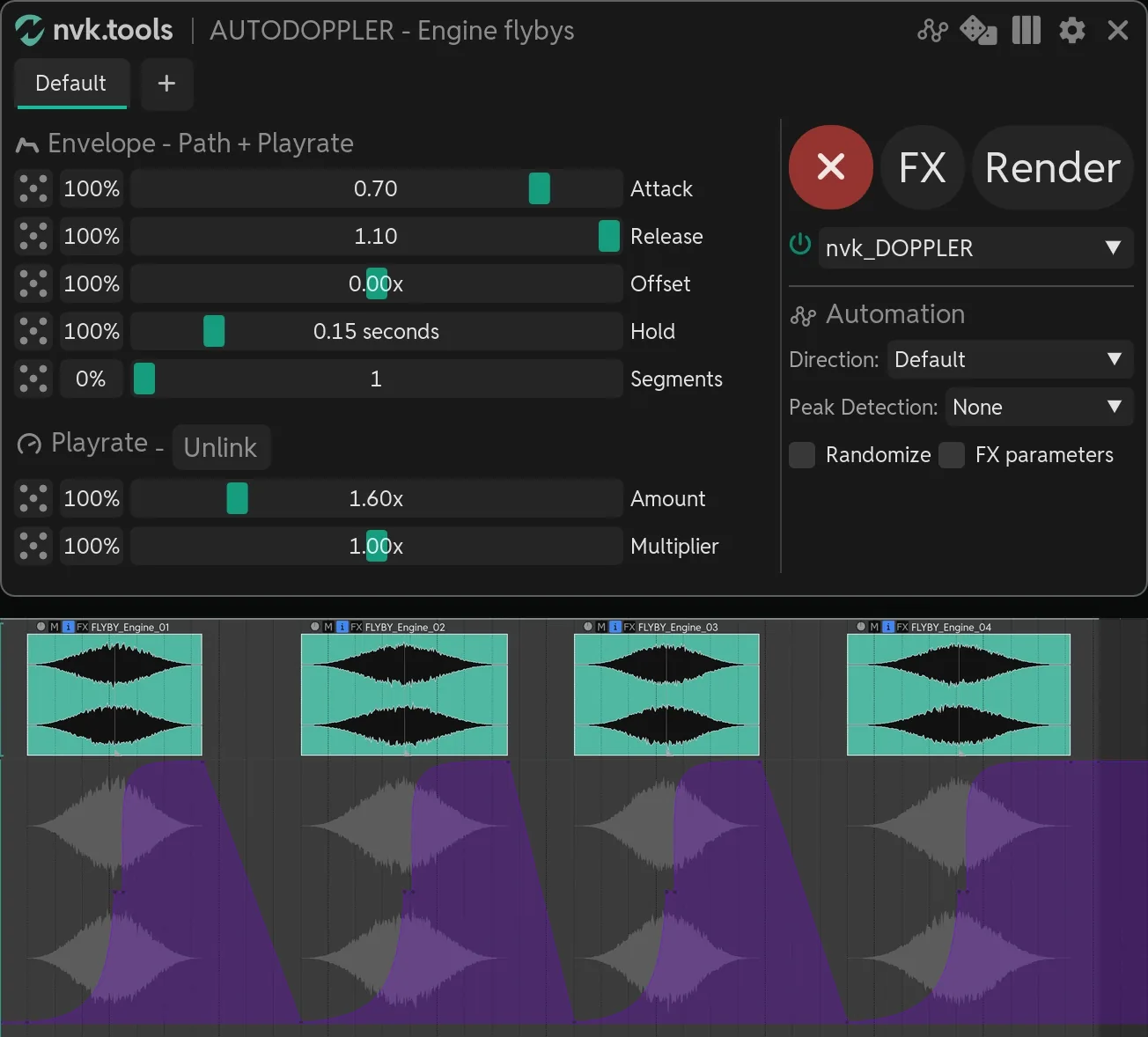
It writes automation around each item's RMS peak or snap offset, and updates it as the sliders move.
-
Render
Render the time selection or the whole track. Split takes gives each item its own take.
Features
Peak detection
Uses each item's RMS peak, or its snap offset if one is set. Offset moves the peak earlier or later.
Envelope and playrate sliders
Attack, Release, Offset, and Hold shape the envelope. Amount and Multiplier set the playrate swing.
Randomize
Press R to randomize the sliders, each by its own amount. Per-item randomizing gives every item different settings.
Quick Render
Renders the selected items with the last settings, without opening the window. With one item selected, the peak lands on the edit cursor.
Custom mode
nvk_AUTODOPPLER - Custom writes the same curve to any touched FX parameter, like a filter cutoff.
Saved with the project
Settings are saved on the track, the project, and each item.
Supported plug-ins
Pick one from a menu in the script, and the sliders change to match.
- nvk_DOPPLERIncluded
- Tonsturm TRAVELER (opens in a new tab)Supported + Presets
- Tonsturm DopplerPRO (opens in a new tab)Supported
- Waves Doppler (opens in a new tab)Supported
- GRM Doppler (opens in a new tab)Supported
- Sound Particles Doppler (opens in a new tab)Supported*
*Sound Particles Doppler plays back and renders one doppler at a time.
Included
nvk_DOPPLER
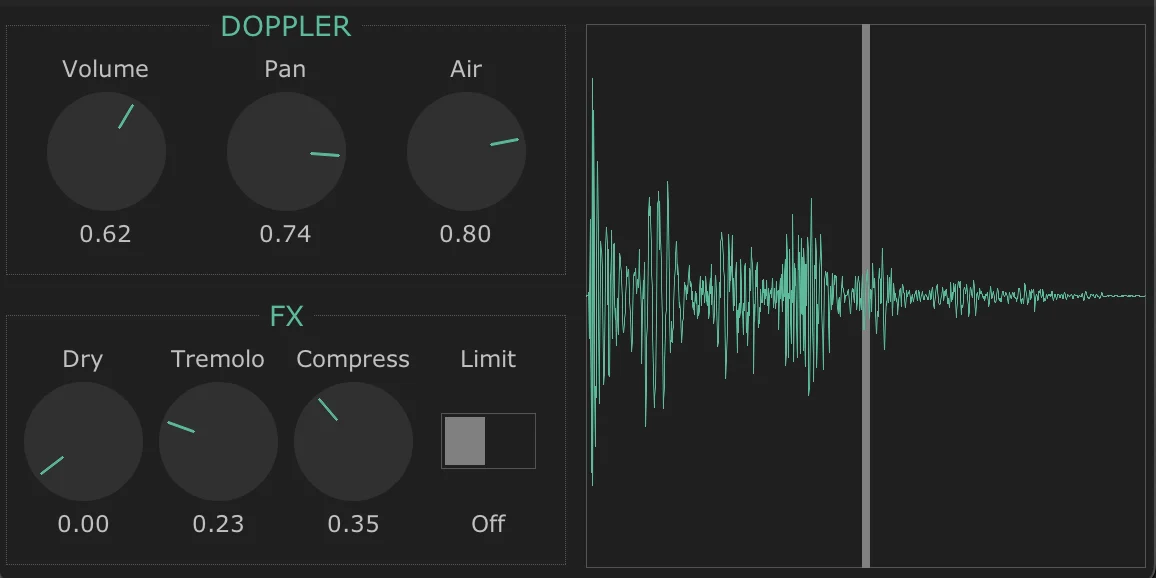
It modulates Reaper's playrate, so the pitch swings further than a regular plug-in allows, with no latency or buffer. It also has volume, pan, air, dry mix, tremolo, compression, and a limiter.
FAQ
Can I try it before buying?
Yes, for 14 days, no card needed. Download the installer, run the tool in Reaper, and start the trial from its License window.
Do I need a third-party doppler plug-in?
No. nvk_DOPPLER is included, and the plug-ins listed above are optional.
Which versions of Reaper and which systems are supported?
Reaper 7.55 or later on macOS 14 or later, or on 64-bit Windows 10 or later.
What do I need before installing?
Just Reaper. The installer adds everything else, and the install guide covers each step.
Can I use my license on more than one computer?
Yes. Each license works on up to five computers at a time, all used by the same person.
Can I buy licenses for a team?
Yes. Pick the number of people in the team license option at the bottom of this page for one multi-user key. Questions? Email support@nvk.tools.
nvk_AUTODOPPLER 2
Includes nvk_DOPPLER and automatic updates. Try it free for 14 days.
Purchases go through Gumroad.com
Buying for a team? Choose how many people need it for one multi-user key. Each person can use it on up to five of their own computers. Regular price $49, now $49 per license.
The Sound Design Bundle includes nvk_AUTODOPPLER 2 and nvk_CREATE for less than buying them separately.
See the bundle