nvk_WORKFLOW 2
Batch edit, organize, and render game audio assets in Reaper
Scripts for building game audio assets in Reaper. nvk_TAKES steps through the takes in a sound library file to make variations. nvk_SUBPROJECT consolidates layers into a subproject that renders back into the project. nvk_FOLDER_ITEMS groups each variation's layers to organize, edit, and render them.
Purchases go through Gumroad.com
- 14-day trial, no card needed
- Three scripts, one license key
- Updates through ReaPack
- macOS & Windows, Reaper 7+
- Multi-user licenses available
Folder items
nvk_FOLDER_ITEMS keeps a blank item on the folder track over each group of overlapping layers during editing. Drag layers or folder items, or pull a layer out of its group, then rename the set.
Left and Right arrows move the selection by a tenth of a second, or a second with Shift. Escape clears the selection.
Numbered in time order, as Rename does with Number on.
Render 3 items
File name: $item
This demo runs in the browser. In Reaper, nvk_FOLDER_ITEMS updates folder items in the background, and Rename and Render SMART run on the selected ones.
How it works
-
Put the layers in a folder
Put each layer on its own track under a folder track. Each group of overlapping items gets a folder item.
-
Rename
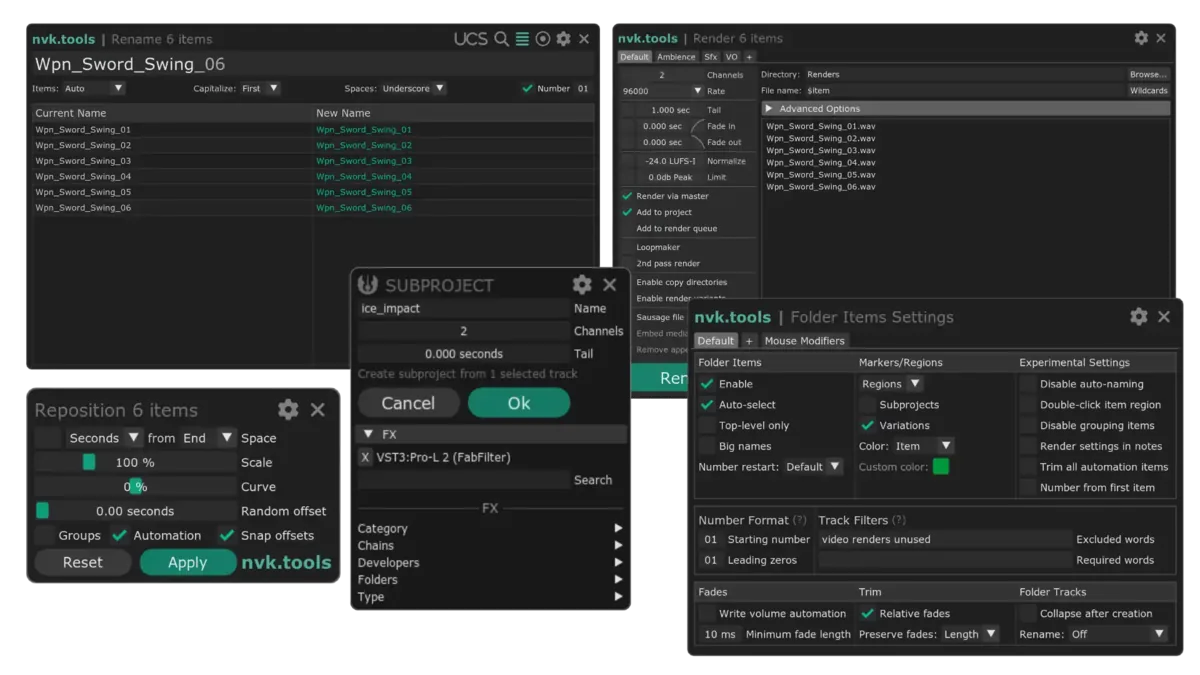
Select the folder items and run Rename. Type one name and the variations are numbered _01, _02, _03.
-
Render SMART
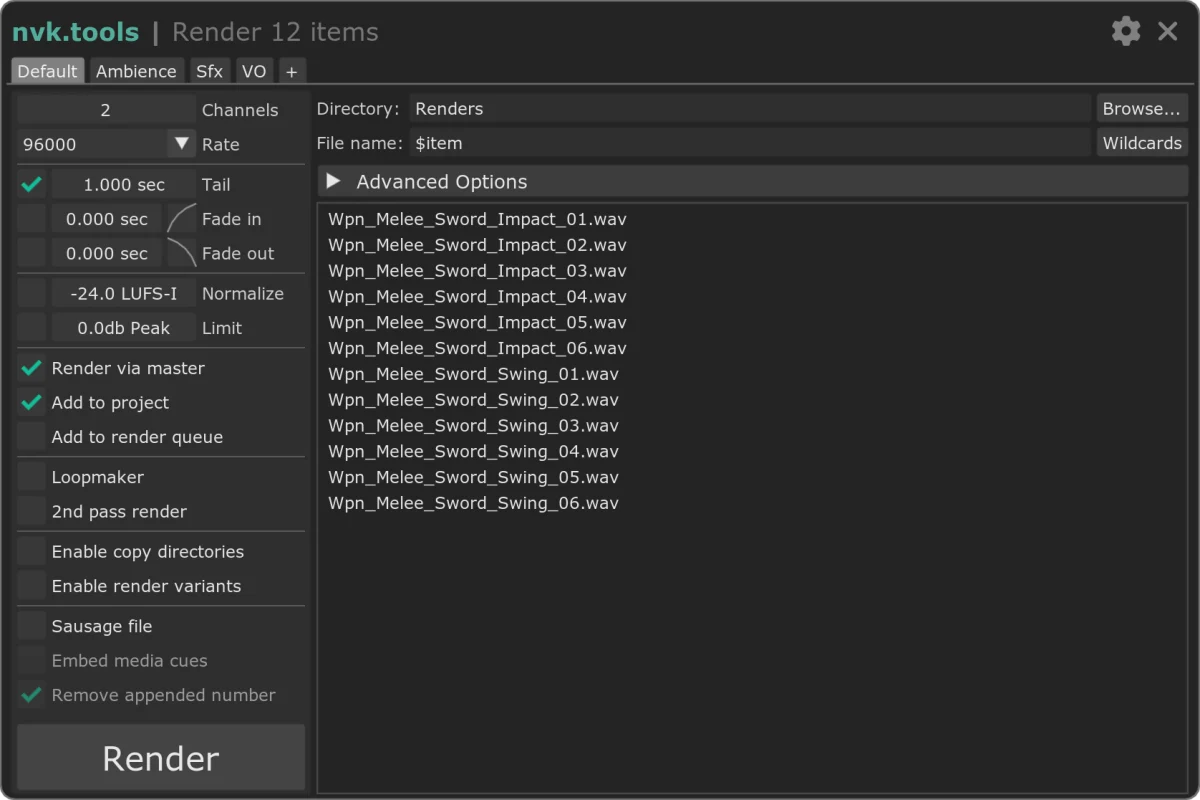
Run Render SMART. Each folder item renders to its own file, named after it.
Features
Edit layers together
Selecting a folder item selects its layers, so the whole sound moves, trims, and fades at once. Mousewheel scripts change pitch and volume.
Batch rename
Rename numbers, capitalizes, and replaces spaces across the selected items, and fills in UCS names from Category, CreatorID, and SourceID. It also renames tracks, markers, and regions.
Reposition
Space selected items or folder items by seconds or frames, from their start or end, with Scale, Curve, and Random offset. Presets can go on hotkeys.
Markers and regions
nvk_FOLDER_ITEMS can keep a marker or region at each folder item, named after it and colored like its items, and updates them during editing.
Take markers
nvk_TAKES adds take markers to the selected item in the background. Select previous/next take SMART steps through them, and Duplicate items and select next take SMART makes a new variation from the next take.
Subprojects
nvk_SUBPROJECT turns selected items or tracks into subprojects, trimmed and named for each variation. Run it from the main project to re-render a subproject and split the result into items.
Render SMART
Settings are saved in tabs, one for each kind of asset.
- Tabs
- Presets such as Default, Ambience, Sfx, and VO, each with its own channels, sample rate, directory, and file name.
- Tail and fades
- Add a tail so reverb and delay ring out, and fade each file's start and end.
- Normalize and limit
- Normalize each file to a loudness target, such as -24 LUFS-I, and limit its peak.
- Add to project
- Bring the rendered files back into the project, or add them to Reaper's render queue.
- Copy directories
- Copy each rendered file to other folders, optionally renaming the copies.
- Sausage file
- Render the selected folder items into one file, optionally with embedded media cues marking each one.
Video walkthrough
Reviews
Folder items, the automatic takes feature, the renaming feature and also the rendering feature are such great helpers, when it's all about a sound design workflow. Already after the first use cases these included scripts became very helpful and I won't miss them anymore now!
nvk_workflow is awesome! Don't know why I waited so long to get it.
FAQ
Can I try it before buying?
Yes, for 14 days, no card needed. Install it with the install guide, run it in Reaper, and leave the license field blank when it asks.
Why does it install as three packages?
ReaPack installs it as three packages: nvk_FOLDER_ITEMS, nvk_TAKES, and nvk_SUBPROJECT. One license key covers all three.
Does nvk_FOLDER_ITEMS have to stay running?
It runs in the background and updates folder items during editing, so add it as a startup action with nvk_SHARED - Startup Actions. On very large projects, nvk_FOLDER_ITEMS - Update (Manual) updates them only when run.
Which versions of Reaper and which systems are supported?
Reaper 7 or later on macOS and Windows.
What do I need before installing?
Reaper, ReaPack, the SWS/S&M Extension, ReaImGui, and the js_ReaScript API. The scripts install through ReaPack, and the install guide covers each step.
Can I use my license on more than one computer?
Yes. Each license works on up to four computers at a time, all used by the same person.
Can I buy licenses for a team?
Yes. Pick the number of people in the team license option at the bottom of this page for one multi-user key. Questions? Email support@nvk.tools.
nvk_WORKFLOW 2
Includes nvk_FOLDER_ITEMS, nvk_TAKES, and nvk_SUBPROJECT, updated through ReaPack. Try it free for 14 days.
Purchases go through Gumroad.com
Buying for a team? Choose how many people need it for one multi-user key. Each person can use it on up to four of their own computers. Regular price $159, now $159 per license.
The Game Audio Bundle includes nvk_WORKFLOW 2 and nvk_LOOPMAKER 2 for less than buying them separately.
See the bundle